Not everyone watches on a flagship phone. Millions of viewers use budget devices with 2 GB of RAM and modest processors, and Siiir TV live TV app viewing is absolutely possible on that hardware — it just needs a lighter touch. Heavy settings and a cluttered phone are the usual reasons budget devices struggle.
The tips below are ordered by impact. Start at the top, and your older phone will feel noticeably more capable within ten minutes.
Set realistic expectations and low-end streaming becomes satisfying. A budget phone will not match a flagship for loading speed or picture sharpness, but it can absolutely deliver stable, watchable streams for hours. The goal of this guide is reliability: fewer crashes, fewer stalls, and a phone that does not overheat by half-time.
Free Up Storage First
Android slows down dramatically when storage is nearly full, because the system needs free space for caches and temporary files. Keep at least 1 to 2 GB free. Delete old downloads, clear the cache of your largest apps, and move photos to cloud storage if you use it.
A phone with breathing room installs updates faster, loads channels quicker, and crashes less. This single step fixes a surprising share of the performance complaints we hear from budget-phone owners.
Photos and videos are the usual storage hogs, followed by messaging apps that quietly accumulate years of media. Android's storage settings show a per-app breakdown, so you can find the biggest offenders in seconds. Deleting a few hundred megabytes of forgotten downloads is often the fastest performance upgrade available.
Also uninstall with intent. Every installed app can run background services, receive notifications, and consume update bandwidth. A budget phone carrying sixty apps it never opens is doing silent work all day. Removing ten unused apps is free performance you were already paying for.
Choose Lighter Playback Settings
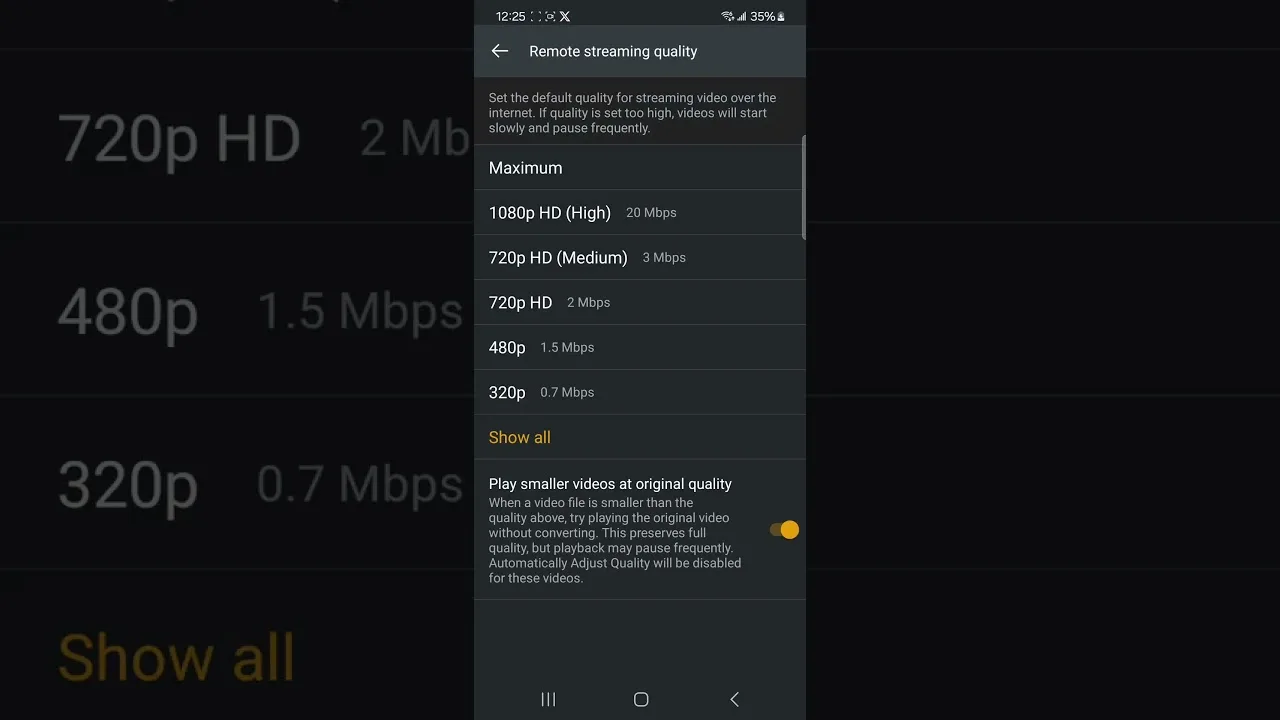
On a low-end phone, set stream quality to a medium level and leave it there. The small screen hides the difference, while the processor and battery both benefit. Avoid the maximum quality tier entirely on older hardware, because decoding it can cause heat, stutter, and rapid battery drain.
If streams still stutter after quality changes, work through the network and app checks in our buffering fixes guide, which separates connection problems from device limits.
Also consider watching at times when the phone is plugged in. Budget batteries degrade faster, and a phone near empty often reduces performance to save power. Streaming while charging keeps the processor at full speed — just make sure the device can still breathe so it does not overheat.
Reduce Background Competition
Budget phones cannot juggle many apps at once. Social media apps, browsers, and games left open in the background compete for the same small pool of memory. Close them before watching, and consider removing apps you no longer use rather than letting them idle.
Check whether your phone has a lite or performance mode in settings. Some manufacturers include a game or performance booster that limits background activity while you watch, which is genuinely useful on entry-level hardware. Our compatibility guide notes which device classes benefit most.
Notifications deserve a mention too. Constant banners and vibrations interrupt films and wake the screen during audio-focused viewing. A focus or Do Not Disturb profile during viewing hours keeps the small processor — and your attention — on the stream itself.
Keep the App and System Updated
Updates often include performance improvements that matter most on weak hardware. Keep both the app and Android itself reasonably current, and restart the phone weekly to clear accumulated temporary data.
Heat is the silent enemy of budget phones. If the device gets hot during long sessions, remove the case while watching and keep it out of direct sunlight. A cooler phone throttles less and holds its performance for the full session.
If your phone offers a memory-extension or virtual-RAM feature, enabling it can help multitasking slightly, though it is no substitute for closing heavy apps. And if the phone is truly at the end of its life, even a modest newer budget model will feel like a leap — compatibility requirements stay low, so your app library carries over easily.
Final Thoughts
A low-end phone is not a barrier to enjoyable streaming. Free storage, sensible quality, a light background workload, and basic heat care turn Siiir TV into a smooth experience even on modest hardware.